TESLA MOTORS
🔍 How to find the color code on Tesla Motors – this is an important step in accurately matching the color of your vehicle's paint job. In this guide, we'll explain where to find the color code on various Tesla models and how to use it correctly.
- 🚗 Easy way to find the color code.
- 💡 Step-by-step search instructions.
- ✅ How to choose the right color for your TESLA.

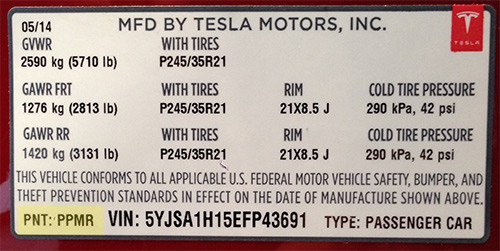
How to find the color code at TESLA MOTORS
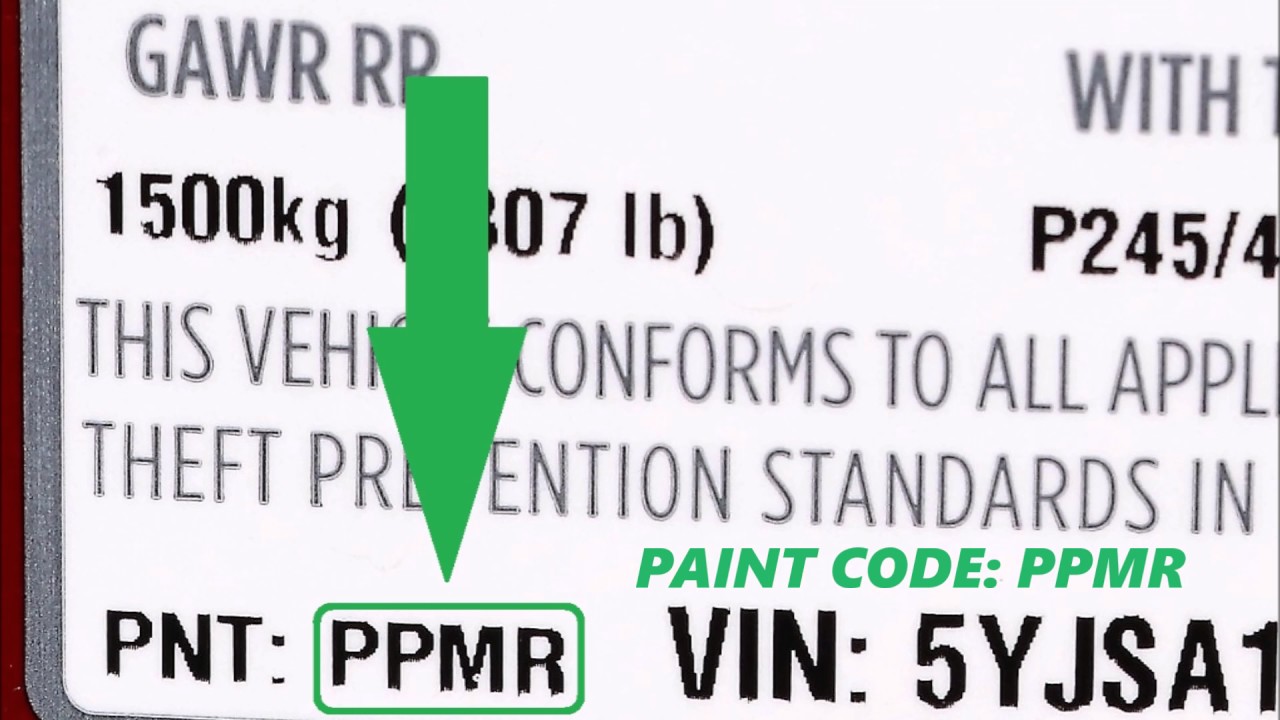
🚗 Finding the color code for your TESLA is an important step in the vehicle paint process to ensure color accuracy. Knowing the color code will help you be confident you're choosing the right shade for your car.
💡 Where can you find the color code on a Tesla? The color code is usually located in several places on the vehicle, including:
- 📍 On the type plate with the VIN number (in the door frame).
- 📍 In the trunk, on the hatch or near the tailgate.
- 📍 In the service booklet or on a sticker on the driver's door.
✅ How to use the color code correctly? Once you've found the code, use it to select the exact color that perfectly matches your TESLA's original color. It's important to consider the metallic or matte finish, as this also affects the color tone.
🔑 Tips: Always double-check the color code before purchasing the paint for your TESLA and ask the salesperson if the selected product exactly matches your vehicle.
Find color code for all Tesla models
- Tesla Model S (2012 – present)
- Tesla Model 3 (2017–present)
- Tesla Model X (2015 – present)
- Tesla Model Y (2020 – present)
- Tesla Cybertruck (2022 – present)
- Tesla Roadster (2008 – 2012)